![Logo-White-1.png]](https://docs.yogobooking.com/hs-fs/hubfs/Logo-White-1.png?height=40&name=Logo-White-1.png)
If you have multiple branches or rooms in YOGO, you can now filter your calendar feed so it only shows the schedule for the branch or room that's relevant to you. This is especially useful for instructors and managers who only need to see their own schedule, and for multi-branch clients who want a cleaner feed without unnecessary noise from other locations.
Go to your schedule in YOGO and click calendar feed.
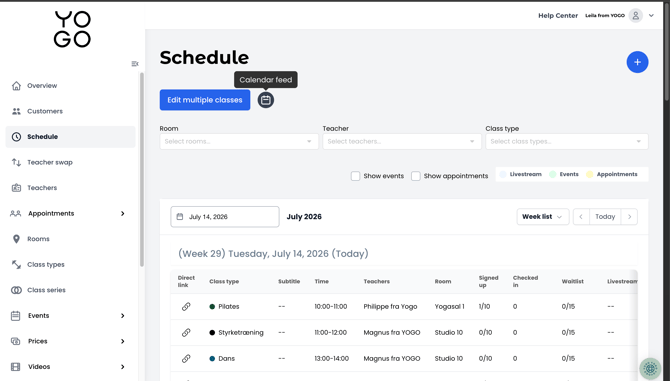
- Choose the feed type you want to subscribe to - Classes, Appointments, or Events.
- Use the dropdown menu at the top to select a specific branch or room.
- Copy the filtered URL by clicking the copy icon, and add it to your calendar app as usual.
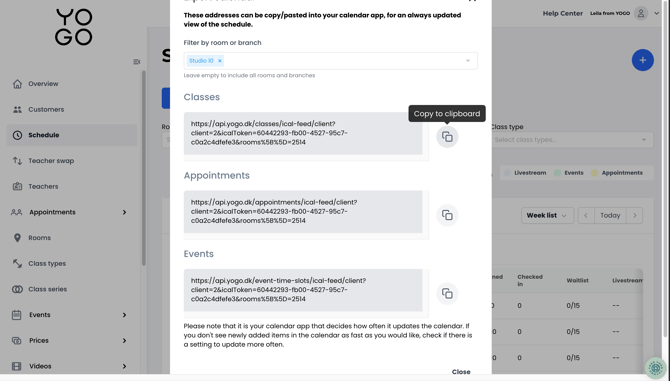
Your calendar feed will now only contain events from the selected branch or room ✅.
Note: Leaving the dropdown menu empty includes all branches and rooms in the feed, as before.