![Logo-White-1.png]](https://docs.yogobooking.com/hs-fs/hubfs/Logo-White-1.png?height=40&name=Logo-White-1.png)
- Go to web.kisi.io
- Sign in to your account.
- Select “Doors” in the left menu.
- Select the door you want to setup up the schedule for.
- Ensure “Access schedule” is selected
- Press “Add Schedule” and select “Access”
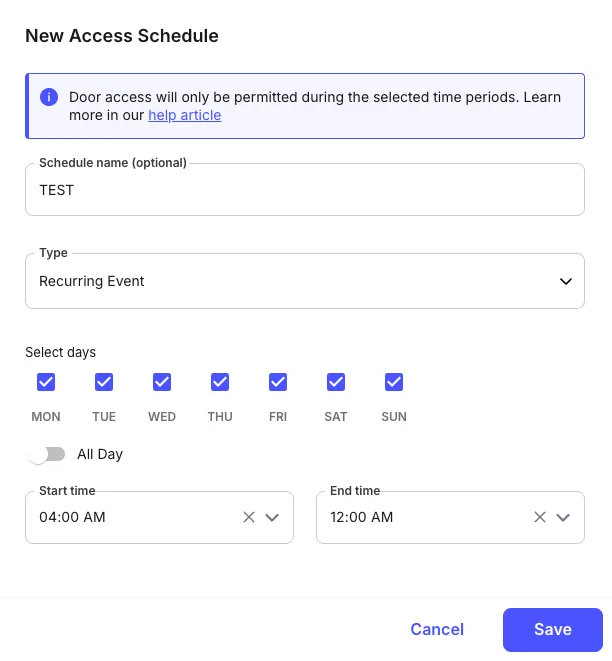
- Give the schedule a name and select “Recurring”
- Select days and the timeframe.